 Nia Schlegel
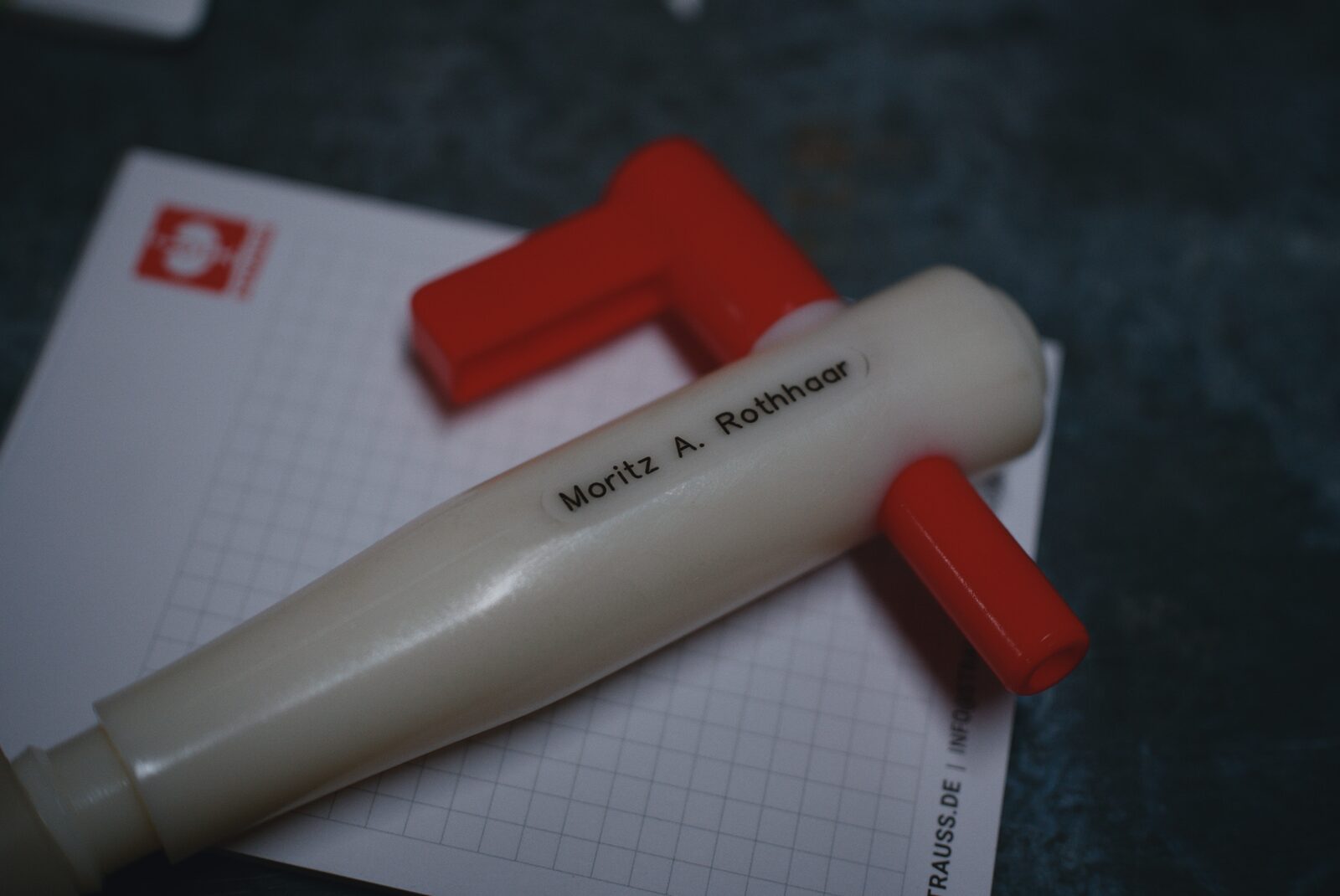
Another birthday present post. When you want to engrave things, sometimes those things are made of some kind of plastic. In today’s case: mystery plastic from a beer keg tap. We wanted to engrave the recipient’s name on it so it would be less boring. I’ve had issues with engraving plastics in the past:
- Spindle speed too low to reach a good
- It’s just annoying in general, with chips melting instead of cutting cleanly if you don’t have it completely dialed in
- Lots of suboptimal ways to color-fill the engraving so you can actually make it out lol
So, after doing this today and getting pretty good results imo, I wanted to share the process. We don’t know exactly what the part is made of, but it feels pretty unusual – not like the usual-suspect thermoplastics you come across, probably because it’s supposed to survive an industrial dishwasher. It feels harder and more brittle than your typical ABS or PET, more like a resin, which I thought was a good sign for machining with suboptimal tooling.
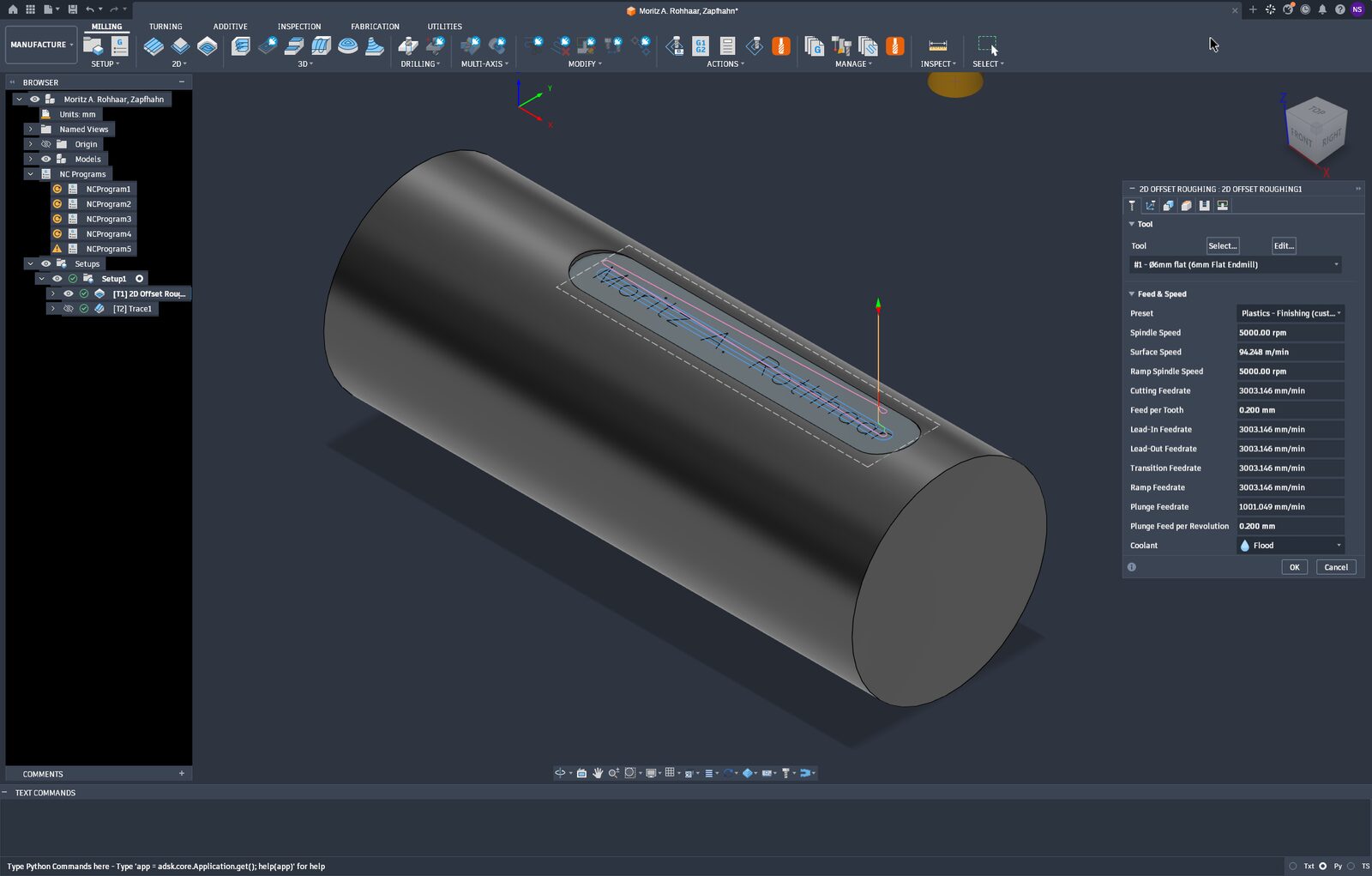
I first machined a flat spot for the engraving to sit on. I used a 6 mm two-flute carbide endmill for aluminium with the Autodesk Fusion®™ template for finishing plastics in a 2D pocket operation and changed nothing about it. The surface finish is pretty good but unremarkable.
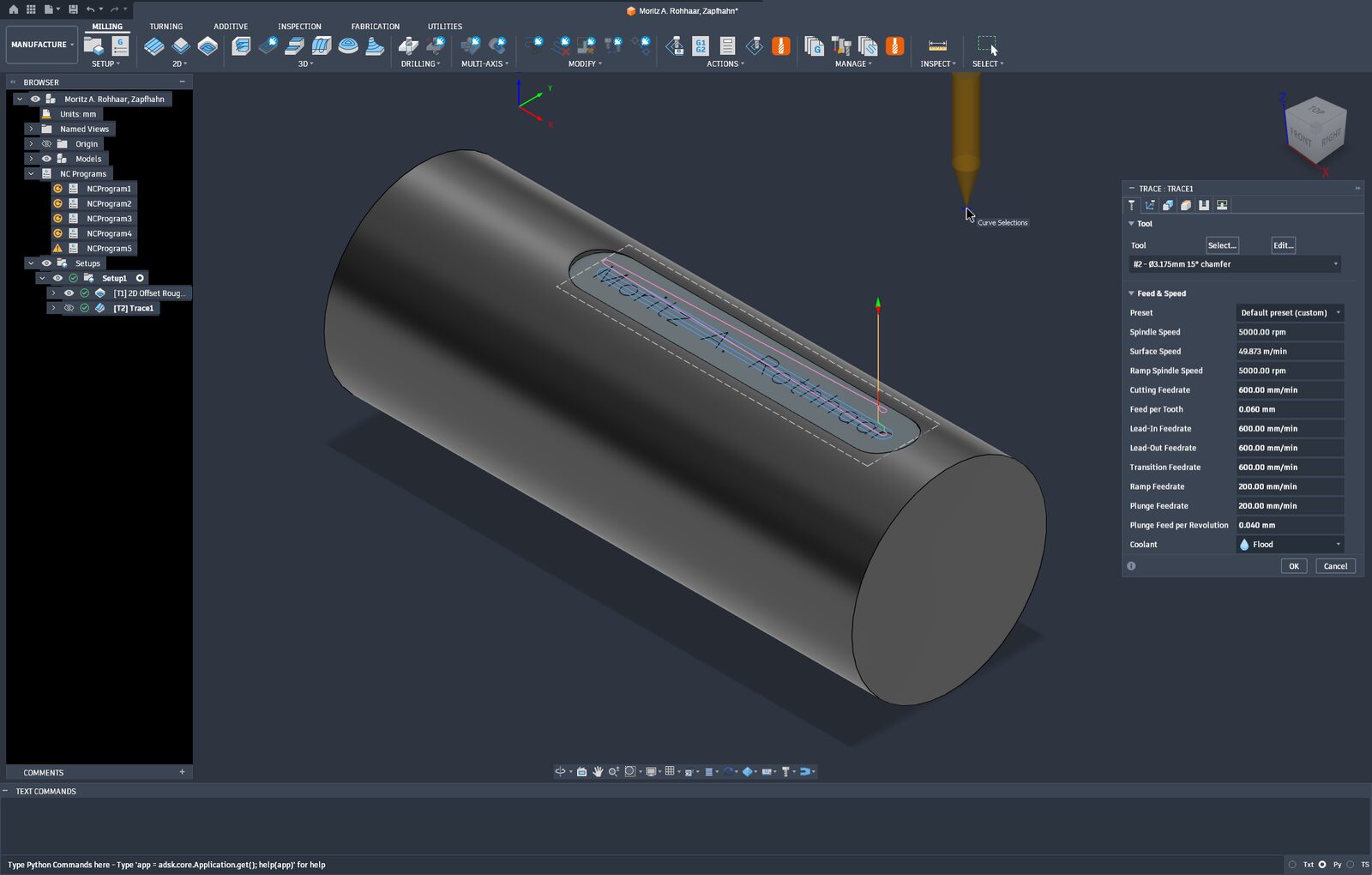
Then the interesting part: the text engraving. I sketched the text on an offset plane in the SIMPLEX font, because it’s the only normal-looking single-line typeface included (i.e. without a technical-drawing or ’70s-plotter look), and I quite like it for stuff like this. In the CAM workspace, I created a 2D trace operation with the text as geometry, selected my 15° V-mill, and in the Operation tab set the chamfer width to the desired line width (0.1 mm looked good). In the past I didn’t know about this and always had to offset the sketch down into the solid part, so I definitely recommend it.
For cutting parameters, we started by just maxing out the surface speed, setting . I googled for like one second, set , ran the part, and thought the feed was too low. What worked pretty well in the end was roughly tripling it to . This reduces the amount of melting and increases the amount of cutting :D
I still don’t really have any good paint for color-filling engravings, so a regular permanent marker had to suffice. It did. I sloppily applied it all over, let it dry, and sanded the area down with 240-grit sandpaper (could’ve been finer) with WD-40 on it, which forms a kind of slurry and reduces scratches.
Hope this quick post helps someone :)